
Nigeria's Postcode API: How It Works and How to Test It
How Nigeria's postcodes and the NIPOST Postcode API work, from the code format to lookup levels, and how to build and test against it with an open source mock.

Peter Oliha
On 1 October 2026, Nigeria launched its National Digital Alphanumeric Postcode System, with an API for developers to build on. I wanted to see what it returns before committing to anything, so I built an open source mock of the API with the same paths and response shapes, and an npm package, ng-postcode, that handles the postcode format offline.
In this article I'll walk through how the postcodes and the API work, and how to build and test an integration using NIPOST's sandbox and the mock together.
This isn't a guide to the official onboarding. For that, the NIPOST docs are the source.
Getting access
Every endpoint except /healthz needs an API key, sent in the X-API-Key header. "Free" in the docs means a call consumes no credits. NIPOST issues two kinds of secret key:
| Key | Prefix | What it reads | Needs |
|---|---|---|---|
| Test | nipost_test_ | A sandbox of public places, free and unmetered at every lookup level | A developer account; one test key per organisation |
| Live | nipost_live_ | The live postcode database, with credits for Lookup L2 and above | Verified KYB and a granted access level |
There are also publishable keys (nipost_pk_test_ and nipost_pk_live_) for browser and mobile code. They are capped at L3 and locked to the origins you allow.
The two datasets don't overlap. The sandbox codes NIPOST publishes, such as FC-01-A01-KP-27, only resolve under a test key, and the 20 sample postcodes on the Lookup levels page, such as LA-11-W06-TC-10, only resolve under a live key.
Where the mock fits
The sandbox is the right place to check your integration against NIPOST's own gateway. The mock covers the parts it doesn't:
1. No account at all
The hosted mock answers with no sign-up and no key, so you can open a lookup in a browser and see the response before deciding anything.
2. Errors on demand
Error paths like 402 insufficient_credits or 403 level_not_granted are hard to trigger on purpose against a real account, and they're exactly what your code needs to handle. The mock returns them when you send a reserved key.
3. Tests without a network
Your test suite shouldn't depend on a remote service or a key in CI. The package ships request handlers that answer calls to the real gateway URL inside your tests.
How a Nigerian postcode works
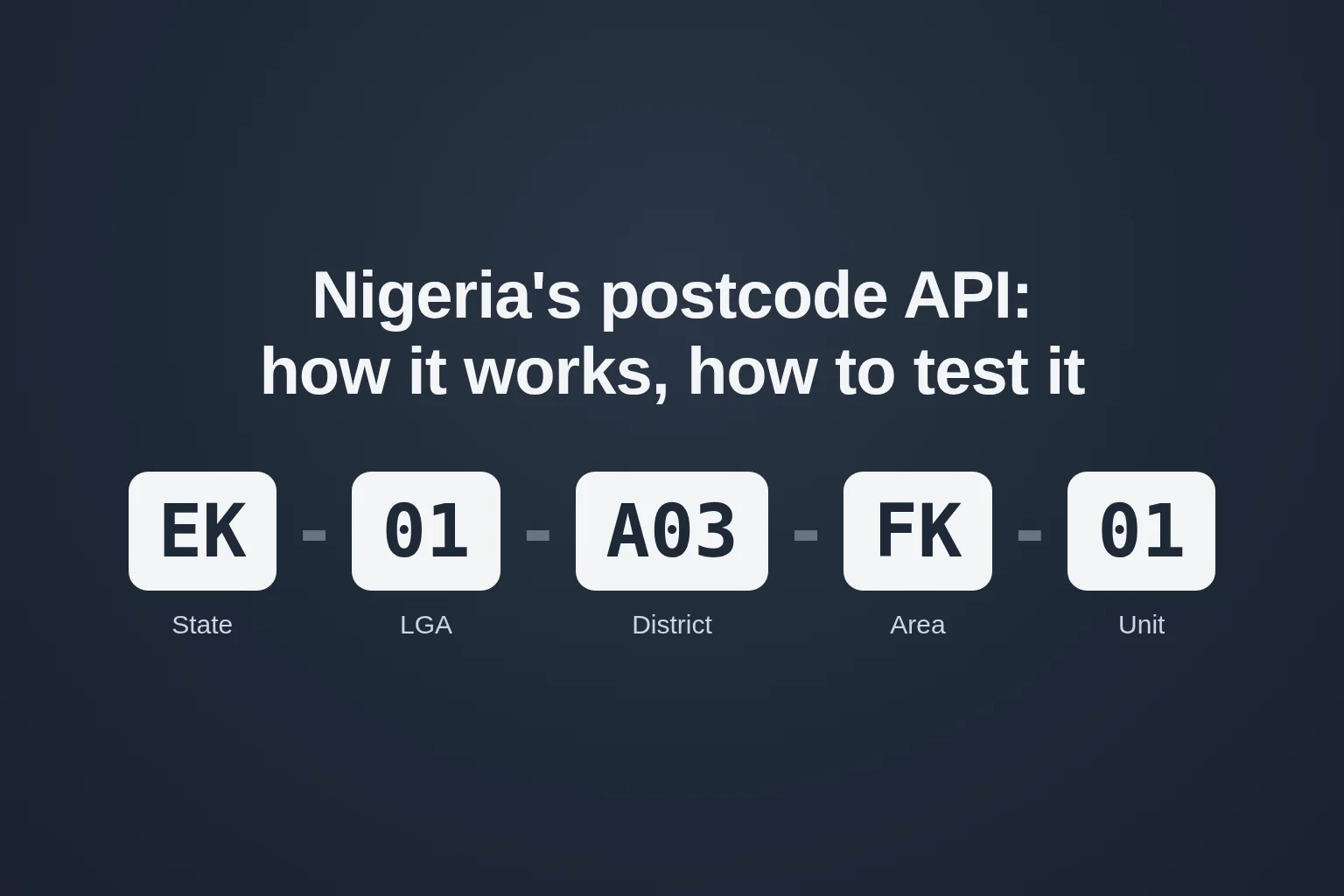
A postcode has five segments, written AA-99-H77-BB-55:
| Segment | Example | Meaning | Format |
|---|---|---|---|
| State | EK | Ekiti | 2 letters |
| LGA | 01 | LGA within the state | 2 digits, 01 to 99 |
| District | A03 | District within the LGA | 3 letters or digits |
| Area | FK | Area within the district | 2 letters |
| Unit | 01 | Building unit within the area | 2 digits, 01 to 99 |
The same code can be written three ways, EK-01-A03-FK-01, EK 01 A03 FK 01 or EK01A03FK01, and the API accepts any of them, in any case. Numeric segments are zero-filled, so an LGA of 1 becomes 01, and 00 is never valid.
One small thing to know: the docs' format page describes the code as 12 characters, while NIPOST's own site and FAQ say 11, which is what the segments add up to (EK01A03FK01). Validate on the segments.
Lookup levels
A lookup takes a level parameter, and each level adds fields on top of the one below:
| Level | Adds | Cost |
|---|---|---|
| L1 | valid | Free |
| L2 | Administrative address and recent house address | Credits |
| L3 | Building use | Credits |
| L4 | Other building info | Credits |
| L5 | Point geometry | Restricted |
Your organisation is granted a maximum level, and the response is capped at it. Test keys read every level without spending credits.
NIPOST also has free reference endpoints that list states, the LGAs in a state, and the district and area codes below them, which are handy for building address pickers.
Step 1: Validate and format postcodes offline
Most of the format rules don't need the network at all. The ng-postcode package implements them with no runtime dependencies:
npm install ng-postcode
import { assemble, disassemble, format, isValidFormat, parse } from 'ng-postcode'

format('ek01a03fk01')
// { postcode: 'EK-01-A03-FK-01', display: 'EK 01 A03 FK 01', compact: 'EK01A03FK01' }

assemble({ state: 'ek', lga: 1, district: 'a03', area: 'fk', unit: 1 }).postcode
// 'EK-01-A03-FK-01'

disassemble('EK 01 A03 FK 01')
// { state: 'EK', lga: '01', district: 'A03', area: 'FK', unit: '01' }

isValidFormat('EK-00-A03-FK-01') // false: numeric segments run 01 to 99
parse('not a postcode')          // null
A well-formed postcode isn't necessarily one that exists. Only the API can tell you that, but checking the format first saves a call, and a credit, on input that could never match.
Step 2: Try the API in a browser
The hosted mock answers with no account and no key. Open this in a browser:
https://ng-postcode.oliha.dev/v1/lookup?code=LA-11-W06-TC-10&level=3
{
  "data": {
    "postcode": "LA-11-W06-TC-10",
    "valid": true,
    "administrative_address": { "state_name": "LAGOS", "lga_name": "MOCK LGA 11", "locality_name": "MOCK LGA 11", "zone": "SOUTH WEST" },
    "recent_house_address": { "recent": "10 MOCK STREET, AREA TC, LAGOS" },
    "building_use_status": "commercial"
  },
  "mock": true
}
The root, ng-postcode.oliha.dev, is a Swagger UI page where you can call every endpoint from the browser. Each endpoint has an X-API-Key dropdown. Leave it empty for full access, or pick a reserved key to see an error:
| Key | Behaviour |
|---|---|
mock_level_1 to mock_level_5 | Lookups capped at that level |
mock_no_credits | 402 insufficient_credits on Lookup L2+ |
mock_no_scope | 403 level_not_granted on Lookup L2+ |
mock_rate_limited | 429 rate_limited, with Retry-After: 60 |
mock_invalid | 401 invalid_api_key |
mock_no_key | 401 auth_required, as NIPOST's gateway answers any call without a key |
Any key starting nipost_test_ | Sandbox behaviour: only NIPOST's sandbox postcodes resolve |
Any key starting nipost_live_ | Live behaviour: the sandbox postcodes don't resolve |
Step 3: Write your integration against the mock
The package includes a small typed client. Point it at the mock now, and at the real gateway later:
import { createPostcodeClient, PostcodeApiError } from 'ng-postcode'

const api = createPostcodeClient({ baseUrl: 'https://ng-postcode.oliha.dev' })
// Later: createPostcodeClient({ apiKey: process.env.NIPOST_API_KEY })

try {
  const result = await api.lookup('LA-11-W06-TC-10', 2)
  console.log(result.administrative_address?.state_name)
}
catch (err) {
  if (err instanceof PostcodeApiError && err.code === 'insufficient_credits') {
    // Fall back to an L1 check, or ask the user to try later
  }
}
Switching to the real API means removing baseUrl and passing your key, a test key against the sandbox first and a live key once you're verified. The client sends it as X-API-Key, the same header the real gateway reads. Keep secret keys on the server; NIPOST issues separate publishable keys for browser and mobile use.
Step 4: Mock the API in your tests
For tests, you don't want a network call at all. The package ships MSW handlers that answer requests to the real gateway URL:
import { setupServer } from 'msw/node'
import { postcodeHandlers } from 'ng-postcode/msw'

const server = setupServer(...postcodeHandlers())

beforeAll(() => server.listen())
afterAll(() => server.close())
Your production code keeps calling https://api.postcode.gov.ng, and the handlers answer instead. Send a reserved key from a test to cover the error paths. If you'd rather run a local server, npx ng-postcode-mock starts one on port 8081, the port NIPOST's docs use for a local gateway.
How the mock stays honest
A mock that looks too real is a liability, so I've been careful about what it claims.
Shapes come from the spec, and a test holds them to it. The paths, parameters and response shapes follow NIPOST's published OpenAPI spec, kept in the repo with its source and fetch date. A contract test validates the mock's responses against it, so when the spec changes and I refresh the copy, the test that fails points at what moved.
Made-up data says so. The sample and sandbox postcodes NIPOST publishes are real, so the mock never invents real-looking facts about them. State names and zones are real for the 11 states the mock knows: the 10 the sample postcodes cover, plus Ekiti from the quickstart's example. LGA names and addresses read MOCK LGA 11 and 10 MOCK STREET. Every response body carries "mock": true and an X-Mock: true header.
Guesses are marked as guesses. NIPOST hasn't published the inner fields for L4 and L5, any response shape for the nearby search, or the error codes for a rate limit or an invalid key. The mock fills them in, and the README and docs page say which parts are guessed. If you get access and see a real response that differs, please open an issue with it.
Troubleshooting
Issue: Every call returns 401 auth_required, including Search and Lookup L1.
Solution: Every endpoint needs a key, including the ones that cost no credits. Send it in the X-API-Key header. To check that your code handles the 401, send mock_no_key to the mock.
Issue: A sample postcode such as LA-11-W06-TC-10 doesn't resolve with your test key.
Solution: Test keys read the sandbox, and the samples only resolve under a live key. Use the sandbox postcodes, such as FC-01-A01-KP-27, or call autocomplete with your test key to find more.
Issue: A lookup for a well-formed code comes back with valid: false.
Solution: The format can be right while the postcode doesn't exist. While you build, use the postcodes NIPOST publishes for your key type.
Next Steps
- The package and mock: github.com/poliha/ng-postcode and npm
- The official docs and OpenAPI spec: docs.postcode.gov.ng
- NIPOST's widget SDKs, for letting users pick a postcode on a map, are listed in the same docs
Final Thoughts
A national postcode system is a big piece of infrastructure, and the docs behind it are thorough. The mock exists so anyone can see whether it fits what they're building before signing up for anything, and so their tests can cover the paths a real account rarely shows. If it helped, or if you spot a difference from the real API, I'd like to hear about it.
ng-postcode is unofficial and not affiliated with NIPOST or the Federal Ministry of Communications, Innovation and Digital Economy.
Have any questions, want to share your thoughts or just say Hi? I'm always excited to connect! Follow me on Bluesky, LinkedIn or Twitter for more insights and discussions. If you've found this valuable, please consider sharing it on your social media. Your support through shares and follows means a lot to me!
Building MapleStack: Tailwind CSS for Streamlined Styling
Explore how Tailwind CSS enhances MapleStack’s UI with utility-first styling, enabling rapid design iterations and responsive layouts.
Debugging Multiple NestJS Applications in VSCode
Learn how to set up and debug multiple NestJS applications simultaneously in VSCode. Complete guide with launch.json configuration and debugging tips.